What Is an AI Inventory? How to Find and List Every AI Tool, Model and Agent (2026 Guide)
You cannot govern what you have not listed. A practical guide for CISOs: the three layers of an AI inventory, how to find AI across browsers, desktops, APIs and agents, a free template, and how to track usage without building a surveillance tool.

On this page›
- The Short Version
- What Is an AI Inventory?
- The Three Layers
- Why Governance Frameworks Expect One
- How Does Maintaining an AI Inventory Support Responsible AI Governance?
- What Belongs in the Inventory
- How to Build One in Five Steps
- Free AI Inventory Template
- Tracking Usage and Cost Without Building a Surveillance Tool
- Why Inventories Go Stale
- Your First 30 Days
- Frequently Asked Questions
- How WalledAI Builds the Inventory Automatically
- Bottom Line
Last reviewed: 16 November 2026
Ask most organisations which AI systems they use, and the honest answer is a list of three or four tools someone remembered.
Quick answer: An AI inventory is a maintained register of every AI system your organisation uses or builds - tools, models, agents, and the MCP servers and plugins they connect to. It records who owns each one, what data it touches, its risk level and whether it is approved. Every AI governance framework assumes you already have one.
The Short Version
If you read nothing else:
- Three layers, not one spreadsheet. A registry of systems, a bill of materials for what is inside them, and usage telemetry proving the registry is true.
- Start from traffic, not a survey. People declare what they are comfortable declaring.
- Inventory the tool and the model. One approved tool can route to a dozen models with different terms.
- Agents and MCP servers are supply chain. Third-party code holding your credentials. Treat them like dependencies.
- Three fields do the heavy lifting: does the vendor train on your data, where does inference run, and is there a DPA.
- Monitor the interaction, not the person. Attribute to identity for policy; aggregate for cost.
What Is an AI Inventory?
An AI inventory answers four questions for every AI system near your business: what is it, who owns it, what data does it touch, and is it approved?
It is not a software asset register with a new column. Three differences matter:
| Software asset register | AI inventory |
|---|---|
| Tracks installations | Tracks data flows - a browser tab installs nothing |
| Vendor is approved or not | Same vendor, both: a corporate tenant and a personal login hit the same domain |
| Risk follows spend | Risk follows data - a free tool on customer records beats an expensive one on public docs |
That is why inventories built from purchase orders and SSO logs look complete and are not.
The Three Layers
Most AI inventory advice produces one flat table holding both "business owner" and "tokens used last week". Nobody maintains that by hand, which is why these documents die.
Separate them:
| Layer | What it holds | Updated | Read by |
|---|---|---|---|
| 1. Registry | System, owner, purpose, approval, DPA, residency | Quarterly review | Risk, compliance, auditors |
| 2. Composition (AI BOM) | Models, versions, MCP servers, tools, prompts, data sources | On change | Engineering, security |
| 3. Telemetry | Who used what, data classes seen, volume, cost, policy hits | Continuously | Platform, finance, IR |
The registry is what you show an auditor. The telemetry is what proves the registry is true. A registry without telemetry is a document describing an organisation that may no longer exist.
Why Governance Frameworks Expect One
Short version: none of them work without it.
NIST AI RMF says it outright. Control GOVERN 1.6 calls for mechanisms to inventory AI systems, resourced to risk priorities. The MAP function that follows operates on that inventory's contents. No inventory, nothing to map. (NIST AI RMF)
EU AI Act never says "inventory", and anyone claiming it mandates one by name is overselling. What it does is tier systems by risk - prohibited, high, limited, minimal - each with different duties. You cannot classify a list you do not have. Classification is the obligation; enumeration is the prerequisite. (Regulation (EU) 2024/1689)
ISO/IEC 42001 follows the management-system pattern: documented scope, defined responsibilities, recorded resources. A certification body will ask what is in scope. The inventory is the answer. (ISO/IEC 42001)
The internal case is stronger than the regulatory one. An inventory lets you answer in an hour, not a fortnight: which systems saw customer data before that vendor's breach, which teams break when this model is deprecated, and which of our AI uses would survive being described publicly.
How Does Maintaining an AI Inventory Support Responsible AI Governance?
Every responsible AI principle - accountability, transparency, fairness, privacy - needs a system to apply it to. The inventory is that list. It supports governance in four concrete ways:
- Accountability: every system has a named owner who answers for its purpose and outcomes.
- Risk proportionality: controls scale to data sensitivity and autonomy instead of applying one rule to everything.
- Transparency: you can tell regulators, customers and staff exactly which AI touches their data.
- Evidence: approval decisions, dates and audit logs link back to a known entry, so oversight is provable rather than claimed.
What Belongs in the Inventory
Five categories, roughly in order of how hard they are to find.
1. Standalone AI tools
ChatGPT, Claude, Gemini, Copilot and friends, used through a browser or desktop app. Easiest to find, and where most inventories stop.
Record the account type. A corporate tenant and a personal login look identical in network logs and are completely different in contract terms.
2. The models underneath
A tool is not a model. One approved assistant may route to several models with different providers, regions, retention and training terms - and swap between them without telling you.
Inventory at the model level, and pin versions where you can. Providers change models under you; behaviour shifts with no deploy on your side.
3. Embedded AI inside approved software
The category that breaks naive inventories. Your existing vendors keep adding AI: summarisation in the collaboration suite, drafting in the CRM, assistance in the IDE, transcription in the conferencing tool.
No procurement event marks their arrival. The vendor was already approved; the feature arrived in a release note. List these separately, because an AI feature's data handling and sub-processors often differ from the base product.
4. Agents, MCP servers, tools and skills
Agents take actions rather than producing text. An agent with credentials, tool access and a schedule is closer to a service account than a chatbot.
The connectors matter as much as the agent. An MCP server is third-party code holding your credentials and acting on your systems. The right mental model is a software dependency, not a browser plugin:
- Who publishes it, and is the version pinned?
- What scopes and credentials does it hold?
- What can it do without human approval?
- Was it reviewed before adoption, and by whom?
Agents and connectors built outside engineering - on internal automation platforms, by people doing their jobs - are the most commonly missed entries in any inventory.
5. Models inside your own products (AI BOM)
If you ship AI to customers, the inventory turns inward: an AI Bill of Materials covering models, versions, providers, training and fine-tuning sources, retrieval indexes, prompts and guardrails.
It answers what a software BOM cannot. A provider deprecates a model version - which features change behaviour? A dataset licence is disputed - which models trained on it? An evaluation regresses after an upgrade - what changed?
How to Build One in Five Steps
Step 1. Start from traffic, not a survey
Surveys inventory what people are comfortable admitting. Start from evidence: network and endpoint telemetry, browser activity, SSO and OAuth grants, API egress to inference endpoints, and expense records for surprise subscriptions.
Survey afterwards, for context. "What is this for?" gets better answers than "what are you using?"
Step 2. Cover all four routes
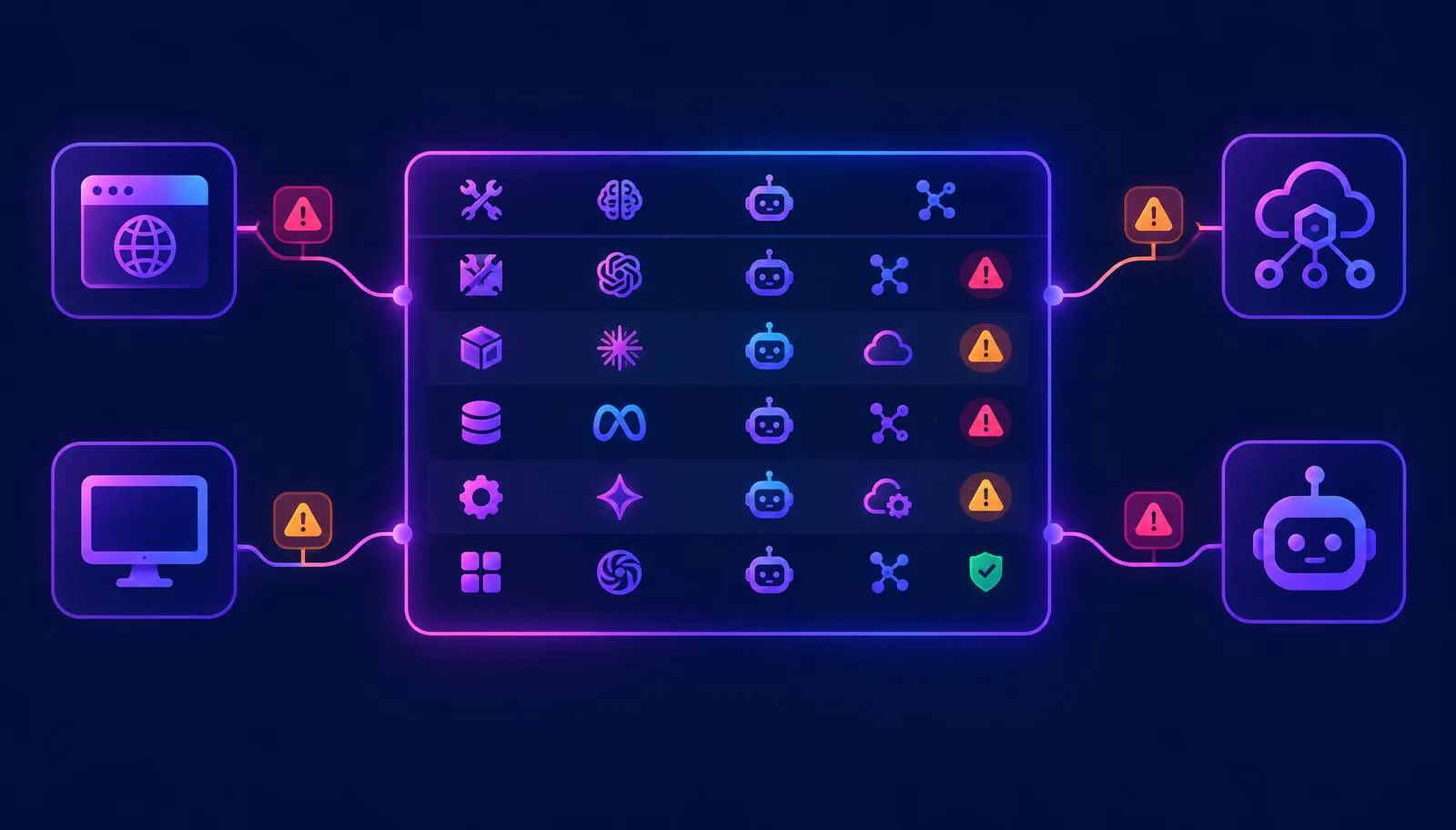
AI reaches your data through the browser, desktop apps, direct API calls and agents. Cover one route and you get a confident, partial list.
Browser extensions miss desktop apps. Network monitoring misses local models. Neither sees an agent running in a cloud function with its own credentials. Same coverage problem as detecting shadow AI traffic, same answer: layer the signals, attribute to an identity.
Step 3. Give every entry a human owner
Entries without owners go stale first. The owner answers for the business purpose - usually a team lead, not IT, and not whoever signed up first.
Step 4. Classify by data, then autonomy
Risk follows the sensitivity of the data and how much the system does unsupervised. Customer PII or regulated records means high risk whatever the vendor's reputation. An agent that executes transactions without review means high risk whatever it reads.
Step 5. Record the approval decision, with a date
This is where an inventory becomes a control instead of a spreadsheet. Every entry resolves to approved, conditional, under review, or not approved - with a date and a decision-maker.
An entry sitting in "under review" for eight months is a decision. Just not an accountable one.
Free AI Inventory Template
Start with five columns. This is the minimum that supports a risk conversation and maps to what an auditor asks for.
| Tool / System | Owner | Data handled | Risk | Approved? |
|---|---|---|---|---|
| ChatGPT Enterprise | Head of Marketing | Campaign drafts, public content | Low | Yes |
| Claude - personal accounts | Unassigned | Unknown | High | No |
| CRM AI assistant | Head of Sales | Customer PII, pipeline | High | Conditional - no PII in prompts |
| IDE code assistant | Engineering Lead | Source code | Medium | Yes - enterprise tenant |
| Invoice agent + accounting MCP server | Finance Manager | Supplier records, payments | High | Conditional - approval over threshold |
Note the second row. A template showing only tidy entries teaches the wrong lesson - unknowns are findings, and they belong in the table.
Then add the three that matter most
Once the basics are populated, these turn a list into a risk assessment:
| Field | Why it earns a column |
|---|---|
| Trains on your data? | The question every buyer and regulator asks. Varies by tier, so free and enterprise accounts of one tool are separate entries. |
| Where inference runs | Region, on-premises or vendor API. Drives your GDPR and PDPA transfer analysis directly. |
| DPA in place? | An AI tool processing personal data with no data processing agreement is an audit finding waiting to happen. |
Useful later: route, account type, model and version, purpose of use, date last reviewed, and regulatory tier if the EU AI Act applies. Purpose of use does double duty - it is GDPR purpose limitation and the EU AI Act's "intended purpose", which is what decides risk tier.
Resist adding more at the start. Inventories fail from being too elaborate to maintain far more often than from a missing column.
Tracking Usage and Cost Without Building a Surveillance Tool
The telemetry layer answers who used which model, how often, and at what cost. Finance wants it. So does incident response.
It also creates a risk worth naming: per-employee AI monitoring is employee monitoring. In the EU that needs a lawful basis, transparency, and plausibly a DPIA. Rolling it out quietly turns a governance win into a works-council problem.
The principle that keeps this clean: monitor the interaction, not the person.
- Attribute to identity for policy enforcement and incident response - you need to know whose session sent customer data to an unapproved model.
- Aggregate for cost and reporting - by team, tool and model, not by named individual on a leaderboard.
- Tell people what is collected and why, before you start.
- Do not build productivity scores. Ranking staff by prompt count measures nothing useful and poisons adoption.
Why Inventories Go Stale
A point-in-time inventory is accurate on the day it ships and decaying by Friday. Three reasons:
- Vendors ship AI continuously. Approved software gains AI with no procurement signal.
- Adoption is individual. One person signing up creates a new data flow and no organisational event.
- Agents multiply quietly. Automation platforms make a new agent a five-minute task for a non-engineer.
An annual refresh guarantees the document is wrong for eleven months a year. Discovery has to be continuous, because the gap between a quarterly inventory and reality is where incidents live.
Your First 30 Days
- Week 1 - look. Pull network, endpoint, SSO and OAuth data. Find AI egress. No policy, no announcements, just the list.
- Week 2 - name owners. Every entry gets a human. Unowned entries go to a named executive by default; that tends to produce owners quickly.
- Week 3 - classify. Data sensitivity first, autonomy second. Mark the three high-value fields for anything touching personal or regulated data.
- Week 4 - decide and publish. Approve, condition or reject each entry with a date. Publish the approved list - most shadow AI is people not knowing what is sanctioned.
Then automate discovery, because step one is already out of date.
Frequently Asked Questions
What is an AI inventory?
A maintained register of every AI system an organisation uses or builds - third-party tools, embedded AI features, agents and their connectors, and the models inside its own products. Each entry records an owner, the data it handles, a risk level and its approval status.
Is an AI inventory required by the EU AI Act?
Not by name. The Act imposes duties - risk classification, technical documentation, human oversight - that cannot be met without a complete list of systems in use. It is a prerequisite rather than a named requirement.
What is the difference between an AI inventory and an AI BOM?
The inventory looks outward at the AI systems you use. The Bill of Materials looks inward at what the AI you build is made of - models, versions, data sources, prompts and guardrails. Most organisations need both.
Should MCP servers be in the AI inventory?
Yes. An MCP server is third-party code holding credentials and acting on your systems, so it carries supply chain risk closer to a software dependency than a plugin. Record the publisher, the version, the scopes it holds, and what it can do without human approval.
Who should own the AI inventory?
One accountable owner for the register - usually security, risk or data governance - with a named business owner per entry. Registers owned entirely by IT capture tools and miss purpose.
How often should an AI inventory be updated?
Discovery continuously; classification and approval on a defined cycle, with quarterly a reasonable baseline. New tools and features appear between any two review dates.
How do you find unapproved AI tools employees are using?
Combine network and endpoint telemetry, browser visibility, SSO and OAuth grant audits, and API egress monitoring, then attribute each interaction to a user and account. Surveys supplement this; they should never lead it.
How does maintaining an AI inventory support responsible governance?
It gives every responsible AI principle something to act on: a named owner for accountability, a risk level for proportionate controls, a record for transparency, and a dated approval decision as audit evidence.
What platforms discover and inventory AI agents across an organization?
Look for platforms that observe AI traffic across browser, desktop, API and agent routes and attribute each call to an identity, such as AI governance and shadow AI detection tools. Compare options in our best AI governance tools guide.
Can you build an AI inventory in a spreadsheet?
For a first pass, yes. The limit is maintenance, not format: a spreadsheet cannot discover a tool nobody declared, so it records what you already knew the day you wrote it.
How WalledAI Builds the Inventory Automatically
WalledAI produces the inventory as a by-product of enforcement. Because policy decisions happen at the request layer, every AI interaction is already observed, attributed and recorded - the inventory is what that telemetry adds up to.
- Shadow AI Detection finds AI use across browser, desktop, extensions, IDEs, embedded SaaS features, direct API calls and agent connectors - and attributes each interaction to a user and account, which is what separates an approved tenant from a personal login on the same domain.
- Data Classification fills the data-handled column from what actually passes through, not from what a form claimed.
- Enterprise RBAC turns the approval column into enforcement: provider, model, data class and permitted action bound to identity and role.
- Governance Dashboard maintains the register and the evidence behind every entry, exportable for audit, with cost and usage aggregated by team rather than ranked by individual.
The controls run inside your environment - on-premises, private cloud or air-gapped - so the inventory and its telemetry never leave your boundary.
Bottom Line
The AI inventory is the least glamorous artefact in AI governance and the one everything else stands on. Risk classification, policy enforcement, vendor assessment, incident response and regulatory evidence all take it as input.
Organisations that struggle with AI governance rarely picked the wrong framework. They never finished the list.
Related reading: how to detect shadow AI traffic, AI security posture management, governing agentic AI, and the EU AI Act deadlines guide.
See how WalledAI discovers AI use automatically or book an AI inventory assessment.
Get audit-ready before August 2026.
See how WalledAI operationalises Articles 9–15 and Article 50 obligations as a runtime governance layer.